Be yourself; Everyone else is already taken.
— Oscar Wilde.
This is the first post on my new blog. I’m just getting this new blog going, so stay tuned for more. Subscribe below to get notified when I post new updates.
Be yourself; Everyone else is already taken.
— Oscar Wilde.
This is the first post on my new blog. I’m just getting this new blog going, so stay tuned for more. Subscribe below to get notified when I post new updates.
When a mailchimp user connects their account with JotForm they are able to collect leads more effectively and keep their contact list up to date. JotForm allows the user to create a form (signup, registration, order, surveys, etc.) and then automatically sync the submissions to their mailchimp account. This allows the user to keep their contacts up to date but also create lists based on these forms which will then help when sending out future campaigns. What makes JotForm interesting is that it basically does all the heavy workload for the user. It takes what you fill out and create and then simplifies it into a list with updated contact information that not only keeps your list up to date but organizes it at the same time. Users can also get support or help with JotForm by visiting: https://www.jotform.com/help/163-How-to-Integrate-with-MailChimp. For more information on JotForm and what it can do for our users visit: https://mailchimp.com/integrations/jotform/
Let us take a look at how easy it is to use JotForm…
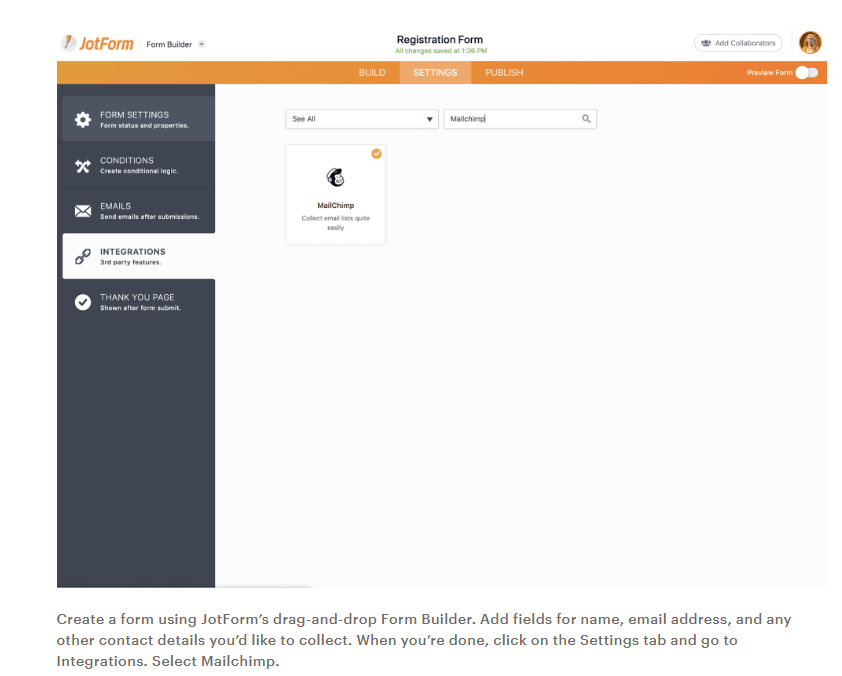
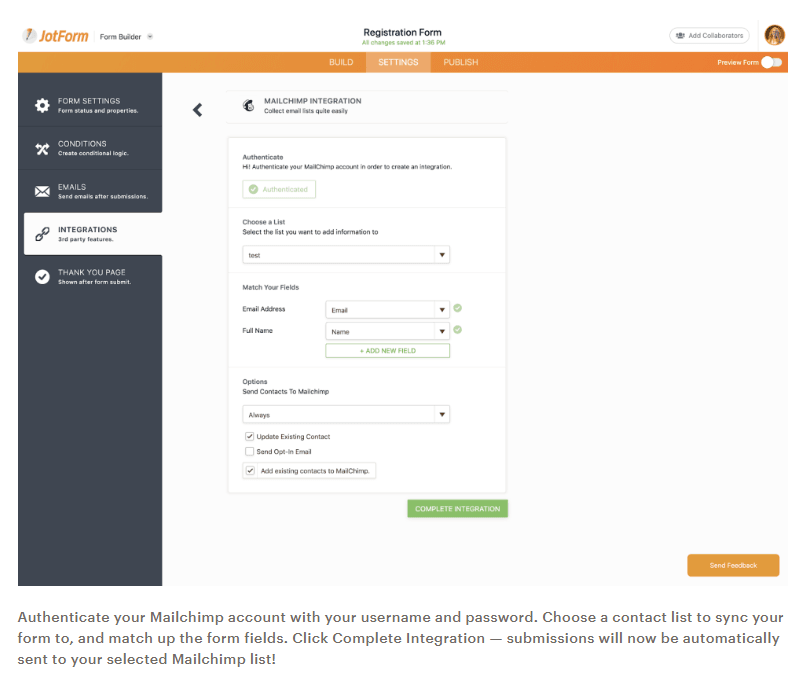
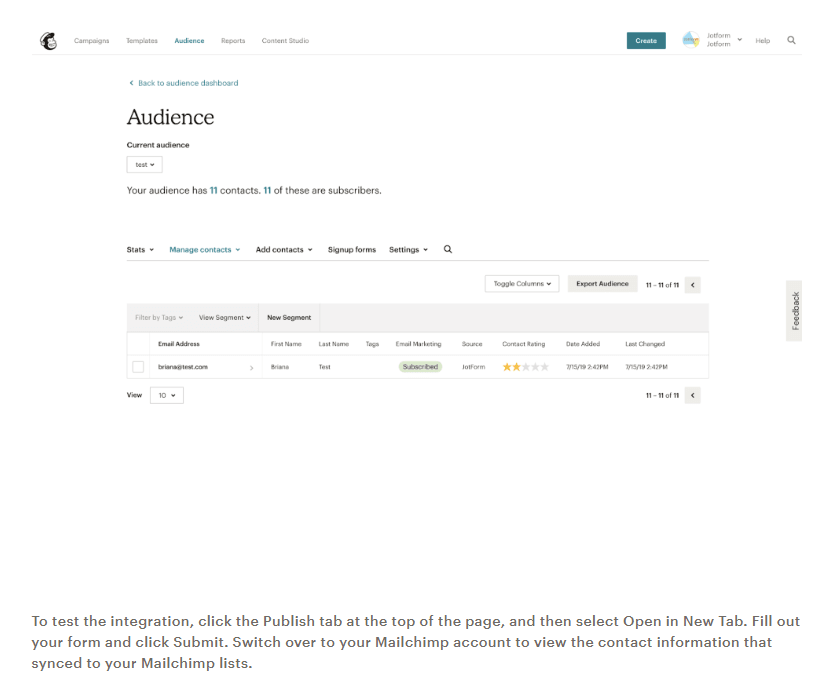
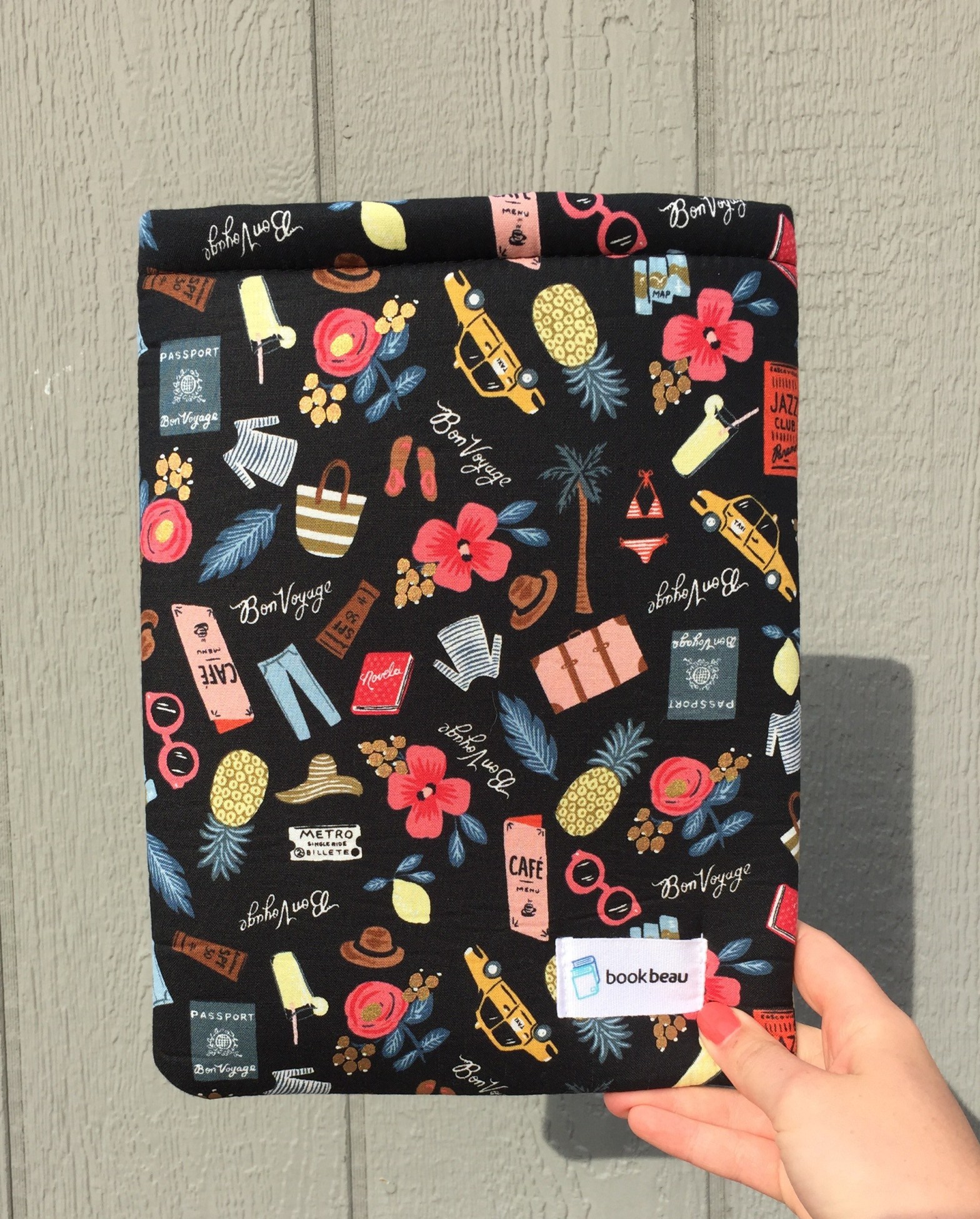
I recently got my income tax refund and was ready to blow it all over the place. I wanted to make all sorts of purchases but I recently learned from a friend that there are some cool online boutiques that offer new subscribers promotions so I thought, perfect! I was visiting the list that she submitted to me and going through the various sites looking for the right fit for me and my money. I came along a cool site that sold book sleeves that protect your books from falling apart when you travel with them.
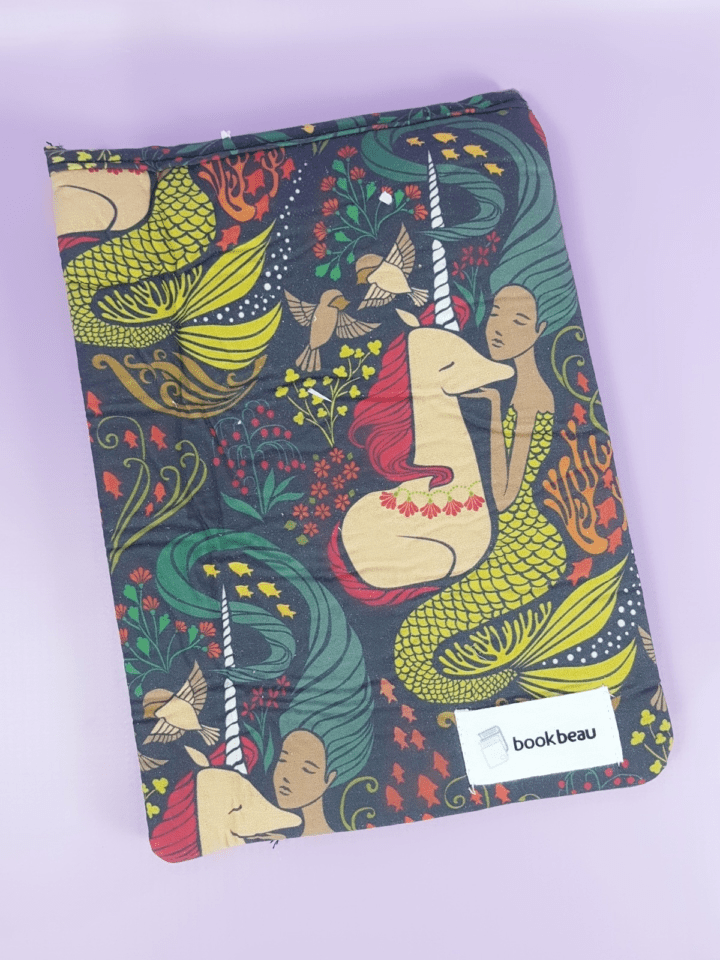
Being an avid reader myself who loves to take my book everywhere with me this was the best invention ever. The site itself was easy to navigate and was by no means made by an amateur. I had so much fun looking at the different styles and sizes that they had to offer. I found a few that I liked and luckily they were in stock. I chose one that was navy blue and had an Alice in Wonderland print on it. I also picked one that was purple with a mermaid print on it. They even had a diagram with images to show you the different sizes they had to offer and what fit what size books. I added a couple more book sleeves in various sizes to my cart and was finally ready to checkout. I navigated to the cart and was ready to begin checkout. I entered in all my information and it was an easy swift process that required little of me. As I continued to checkout and choose shipping options I realized that this site was awesome. It made my life so easy and made the process so easy and fast. I finally checked out and was happy to know that my items will be shipped to me in 3-5 business days at no additional charge. In the checkout process I was given the choice to subscribe to a newsletter that provided different styles that were coming up and promotions for product purchases as well. I happily subscribed as I would definitely be visiting this site in the future and with coupons! After my purchase I received three different emails. One email was of course my receipt but the other two emails were from the sites owners. The second email was thanking me for my purchase and had a promo code for making my first purchase. The last email was a thank you for subscribing email with yet another promo code to use. At this point I was thrilled not only for the sites easy navigation but for all the promo codes. I was going to be able to restock sooner than later with all these savings. Overall my money went to good use and I have now received these book sleeves and they have changed my life! I never noticed the damage that can actually be done to a book when placed or thrown in a bag/purse. These books sleeves are saving me in such a huge way and they happen to be fashionable all at the same time!
Until next time, xoxo.
This is an example post, originally published as part of Blogging University. Enroll in one of our ten programs, and start your blog right.
You’re going to publish a post today. Don’t worry about how your blog looks. Don’t worry if you haven’t given it a name yet, or you’re feeling overwhelmed. Just click the “New Post” button, and tell us why you’re here.
Why do this?
The post can be short or long, a personal intro to your life or a bloggy mission statement, a manifesto for the future or a simple outline of your the types of things you hope to publish.
To help you get started, here are a few questions:
You’re not locked into any of this; one of the wonderful things about blogs is how they constantly evolve as we learn, grow, and interact with one another — but it’s good to know where and why you started, and articulating your goals may just give you a few other post ideas.
Can’t think how to get started? Just write the first thing that pops into your head. Anne Lamott, author of a book on writing we love, says that you need to give yourself permission to write a “crappy first draft”. Anne makes a great point — just start writing, and worry about editing it later.
When you’re ready to publish, give your post three to five tags that describe your blog’s focus — writing, photography, fiction, parenting, food, cars, movies, sports, whatever. These tags will help others who care about your topics find you in the Reader. Make sure one of the tags is “zerotohero,” so other new bloggers can find you, too.

 Confessions of Shopaholic